Images courtesy of Onyx Visual Effects and Hulu.

Images courtesy of Onyx Visual Effects and Hulu.
Mixing the disaster and political thriller genres, Hulu’s Paradise follows a devastating global tsunami caused by an erupting supervolcano in Antarctica and the assassination of an American president. The series received a Primetime Emmy nomination for Outstanding Special Visual Effects in a Single Episode for its second season finale “Exodus.” The nomination is hardly surprising, given the scale of the environmental destruction Onyx Visual Effects had to create as the show’s sole vendor, producing just under 1,000 visual effects shots across eight episodes.
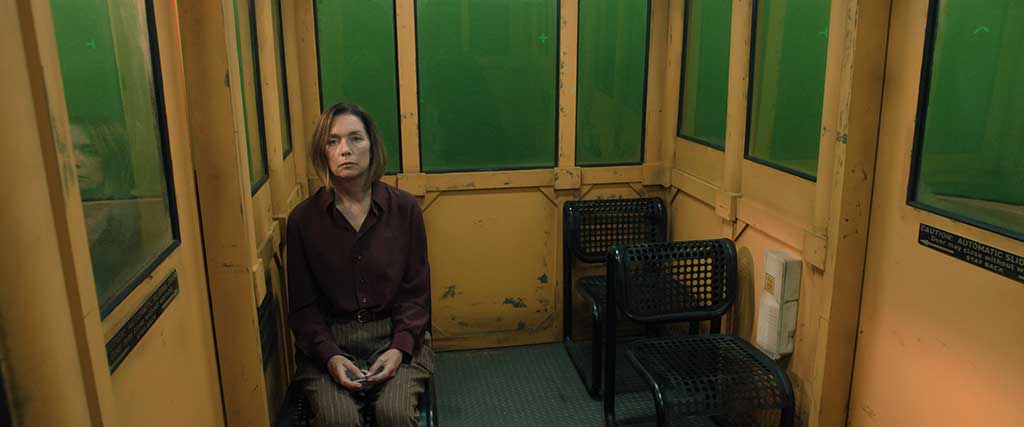
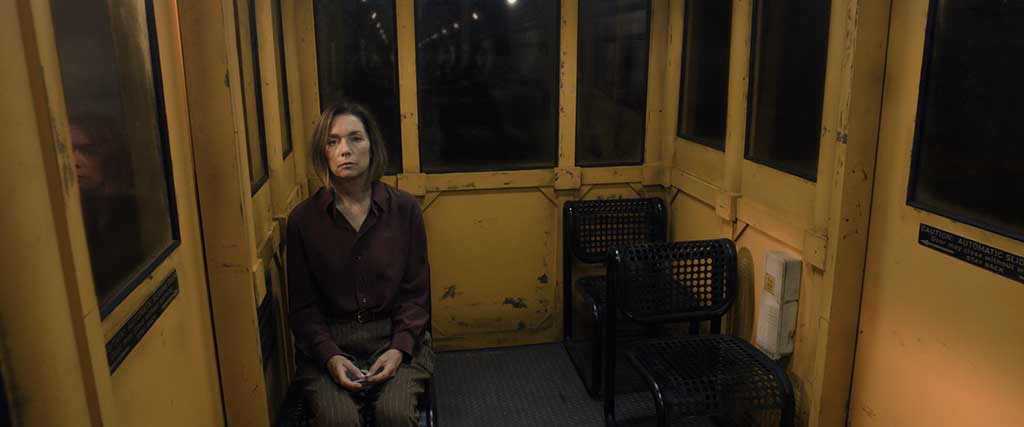
Because the scripts arrived incrementally, the studio had limited ability to plan the VFX in advance. “We don’t know what we’re getting ourselves into until we get the next script, so it’s not like we can do a lot of forward planning,” states John Weckworth, Visual Effects Supervisor at Onyx Visual Effects. “We build these set pieces or do different visual effects for particular scenes, and we often do not go back to them. About midway through the season, when we were getting scripts, it trickled down to us that they were saving a lot for the end. There were four or five beats in the script that we knew were going to be heavily supported by visual effects, and by the time we got through it, there was so much meat on the bone for us to make the highlight reel [to be submitted for consideration]. Things like imploding a whole mountain and the Denver flyover were unique to that episode.”
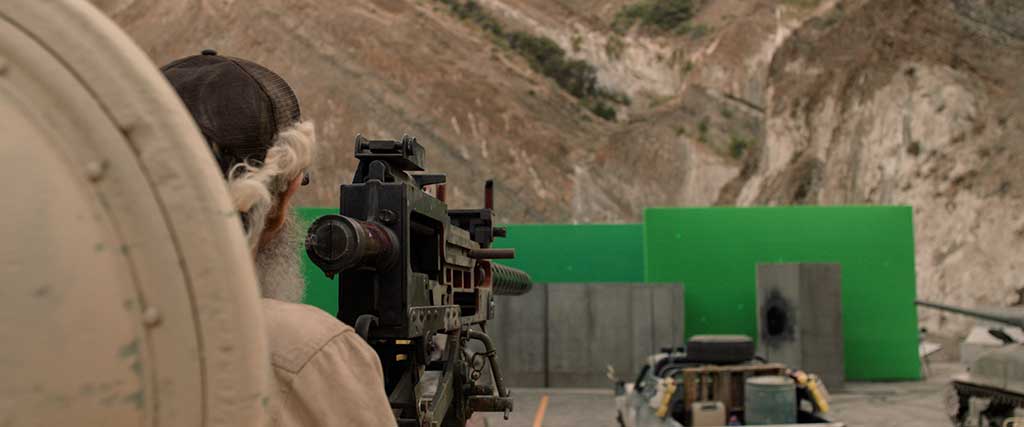
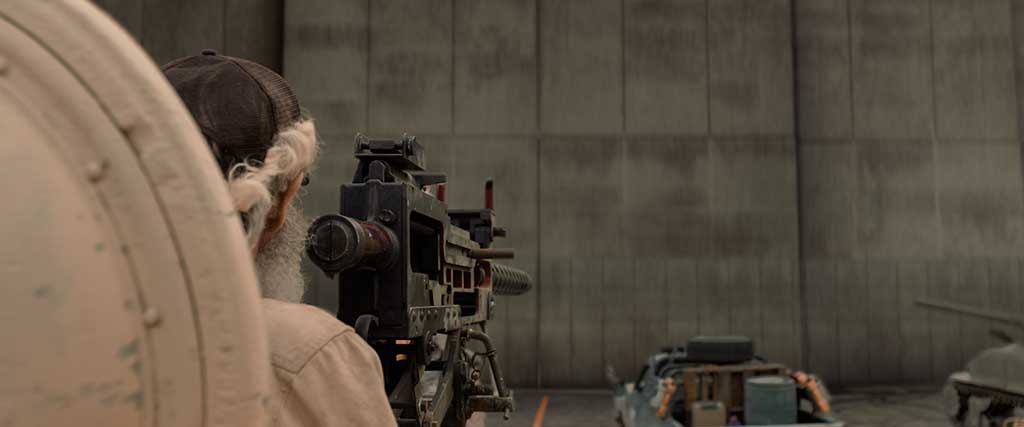
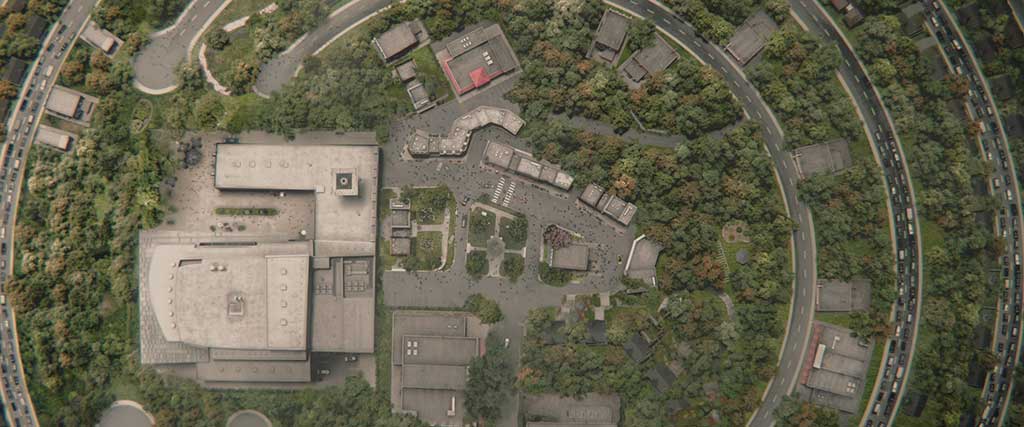
For the Denver flyover, director Hanelle Culpepper created highly detailed storyboards, and Onyx put together previs. “That shot was bookended by some captured footage,” Weckworth remarks. “The whole meat of the shot in the middle is CG DMP compositing magic.” Many pivotal moments and technical challenges had to be addressed. “You have a camera that was already in motion, and now you’re needing to marry that motion into another camera that is being art-directed,” notes John Brennick, Compositing Supervisor, Paradise Season 2. “There was a whole rework, and Meliza Fermin [DMP Supervisor] did an outstanding job of rebuilding the environment for us. A lot of the plate in the background had to be rebuilt for the fly-out of the camp as we go over the destroyed mountain. We spent a lot of time R&Ding and doing tests like, ‘How do we get out of this camera move?’ We reprojected the environments and stabilized the camera with a 3D camera. Looking at everything from a bird’s-eye view gave us a good idea of what some of the biggest headaches were going to be.”
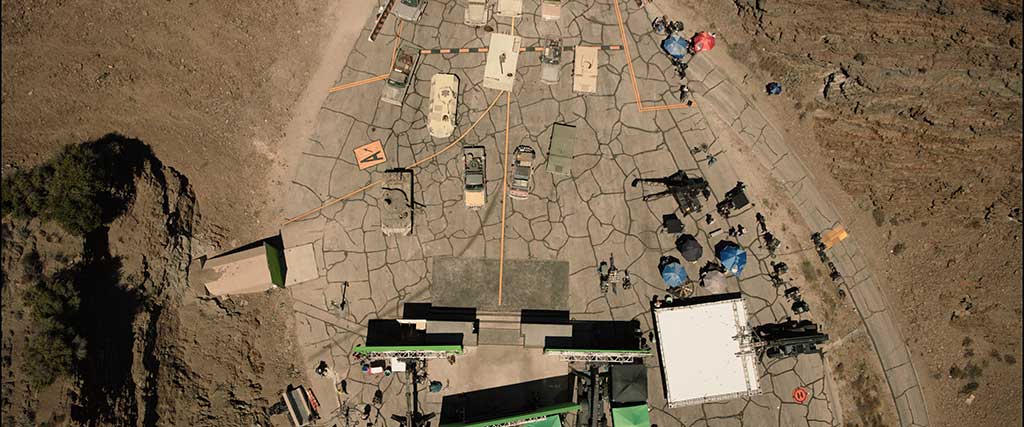
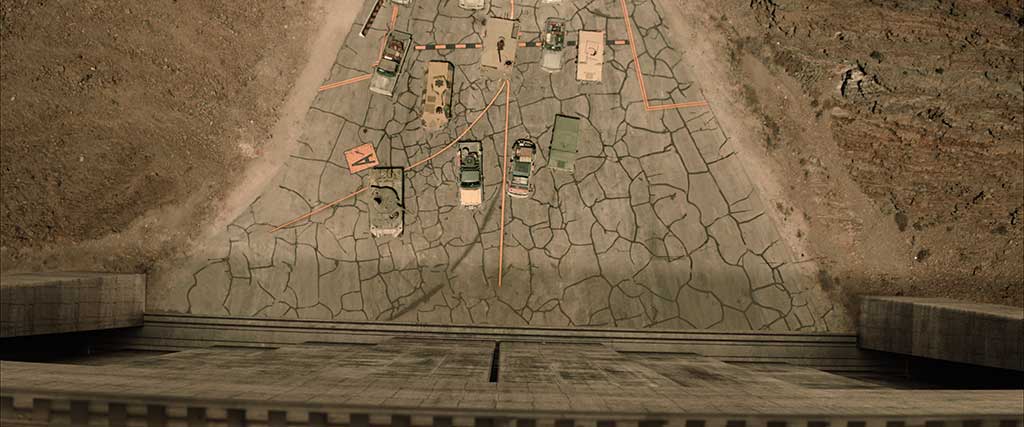
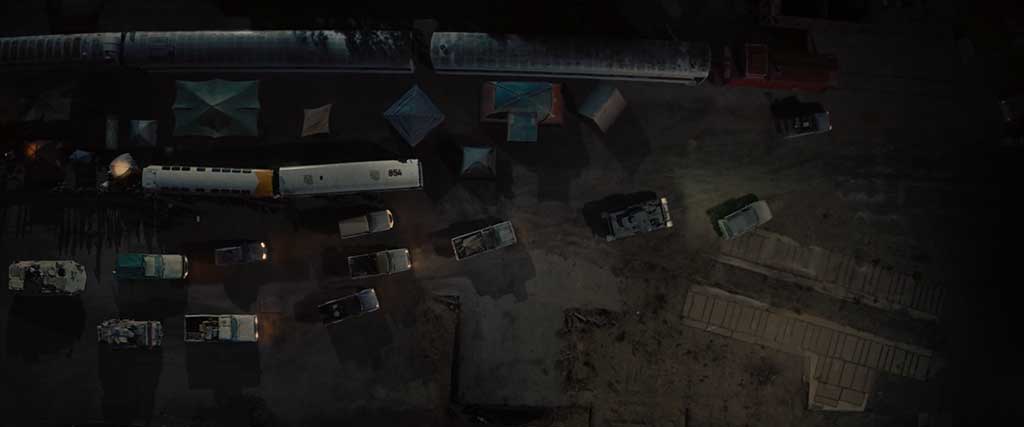
Initially, the flyover was going to be a oner from the campsite to over the crater and the Denver airport. “The difficult part was going from a campsite all the way up to a mountain crater in the amount of time that we had,” states Evan Underwood, CG Supervisor, Paradise Season 2. “We had to shrink the world without the viewer knowing it. To do that, we tilted the campsite in CG, Inception-style, but you wouldn’t realize it because the camera is also tilted. Everything looks like it goes off to the horizon and the ground is flat. When the drone pulls out of the campsite and starts moving over the trees, the trees are actually higher than the crater itself. With the help of darkness and shadows, you can’t quite tell, but once we finally bypassed the trees, now we’re over the crater.”
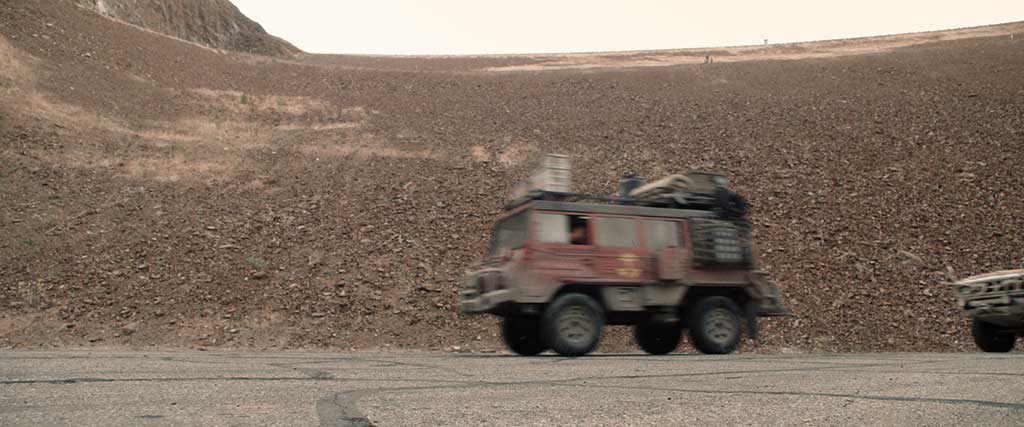
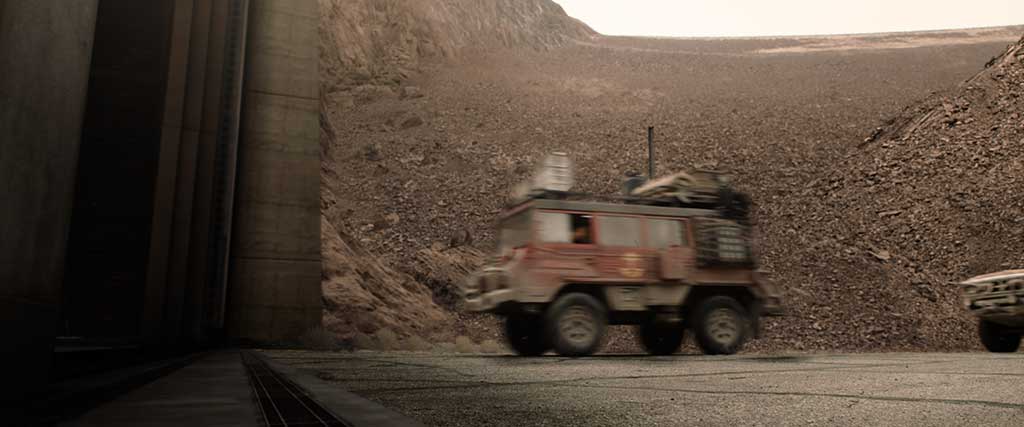
A matte painting was created for the shot looking at the Denver airport. “I got the camera from Evan and started doing my matte painting and then plugged it into the camera and plugged in the 3D render,” reveals Meliza Fermin, DMP Supervisor at Onyx. “For the wide part, I had a 30,000-pixel matte painting, but when the camera zooms in, will my matte painting hold? It helped me to figure out how much matte painting I needed for a seamless transition, but the resolution was always good.”
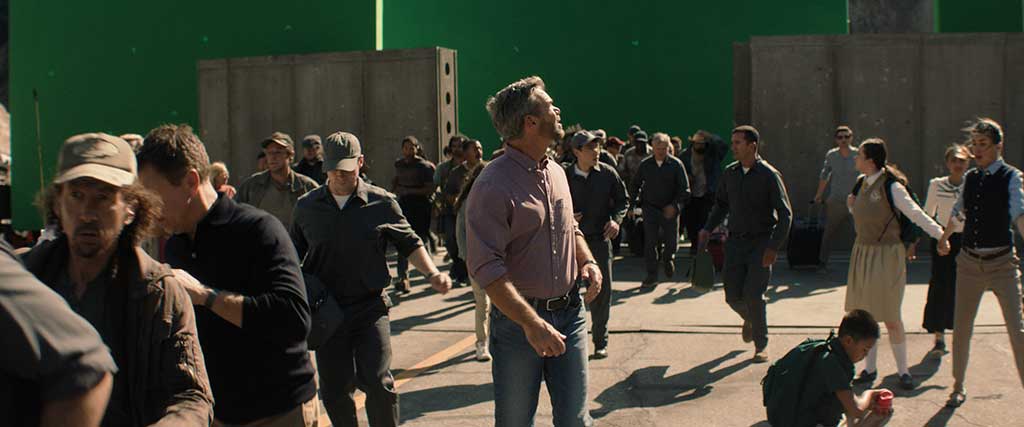
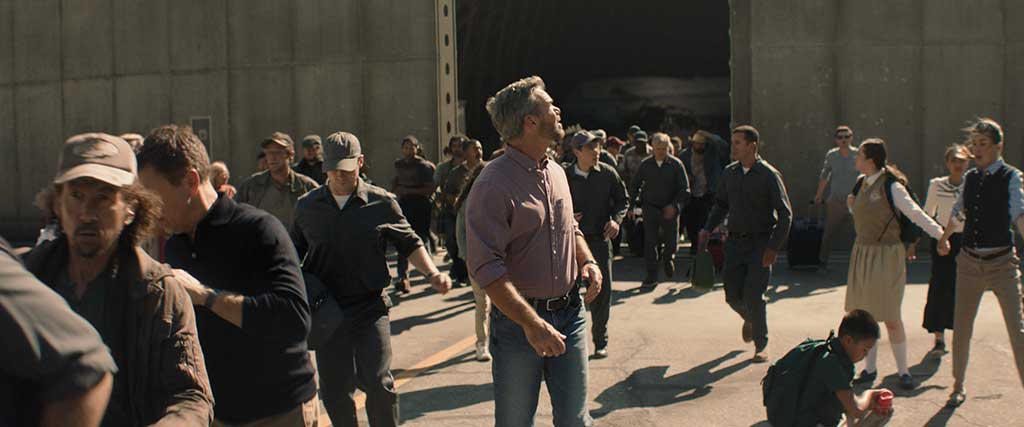
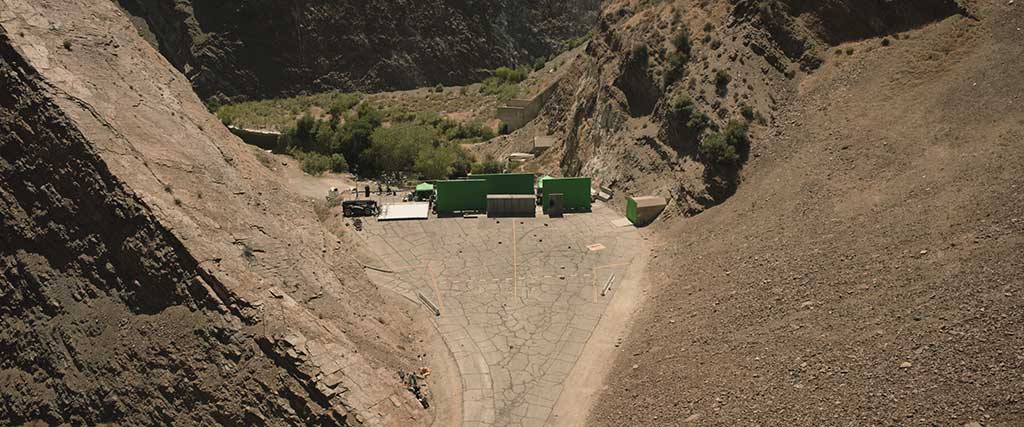
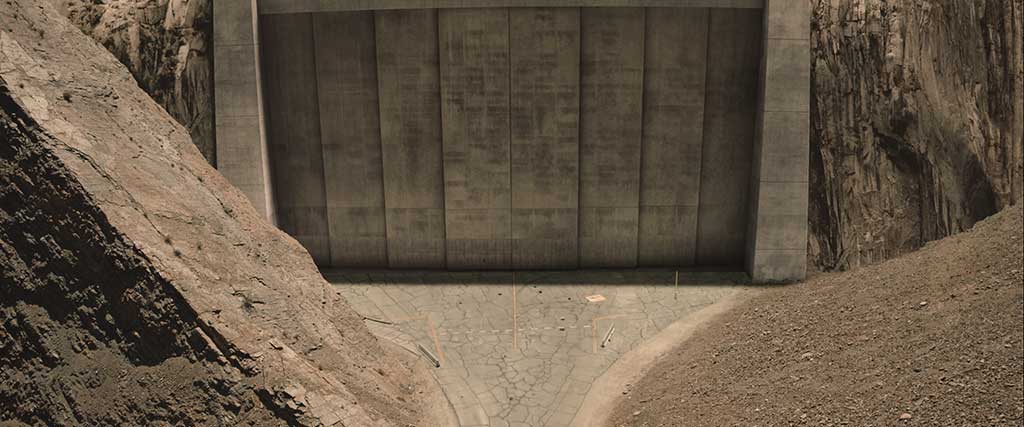
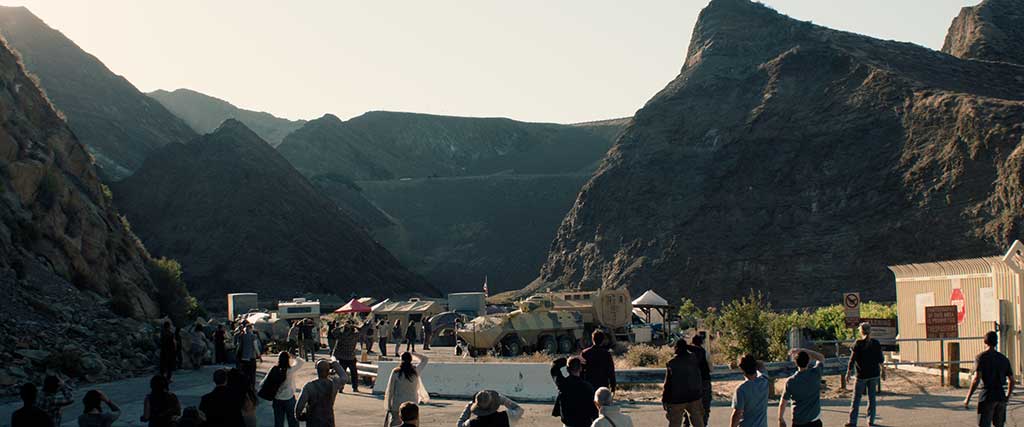
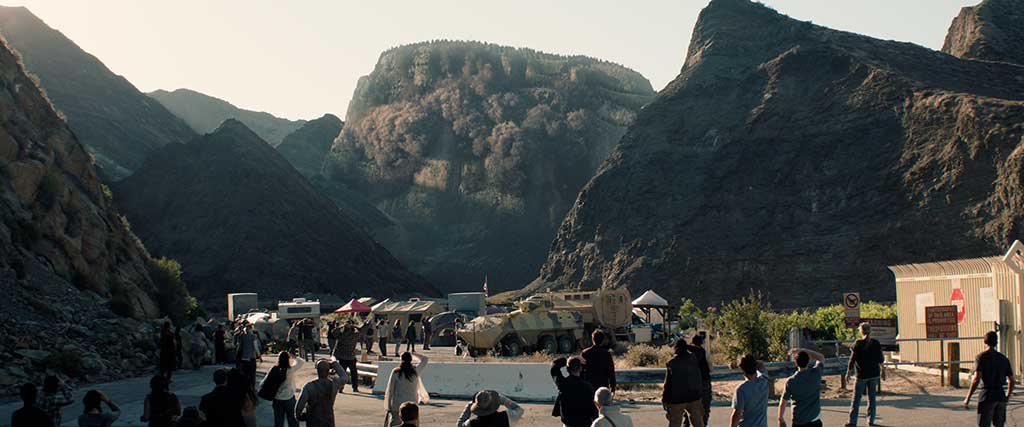
The mountain imploding was heavily art-directed. “One of the big story points is that they’re coming out of the dome and everybody is walking in the sunlight,” Brennick states. “You have this bright, hard sun, so we’re battling a lot of flares that were inherent to the footage. We had to clean up the footage and put the flare back in. We used the atmosphere, flares and lighting to our advantage and would bash-comp previs in there. We were establishing the look of the implosion while effects was also doing the R&D and development of the actual implosion itself, [figuring out] how fast the implosion is, because we wanted to feel the scale and weight of this mountain they’re in. We spent a lot of time on the real minutiae. Compositing helped to dictate the look because we were hiding a lot of stuff to make it feel more optical.”
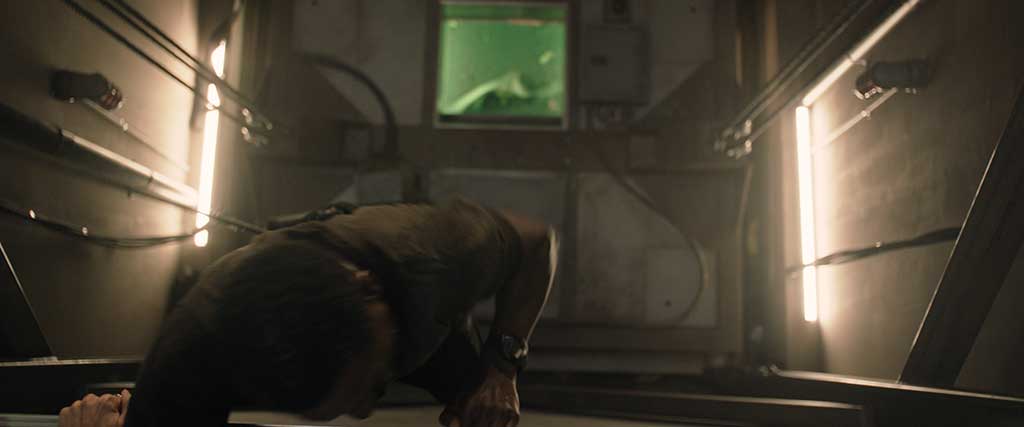
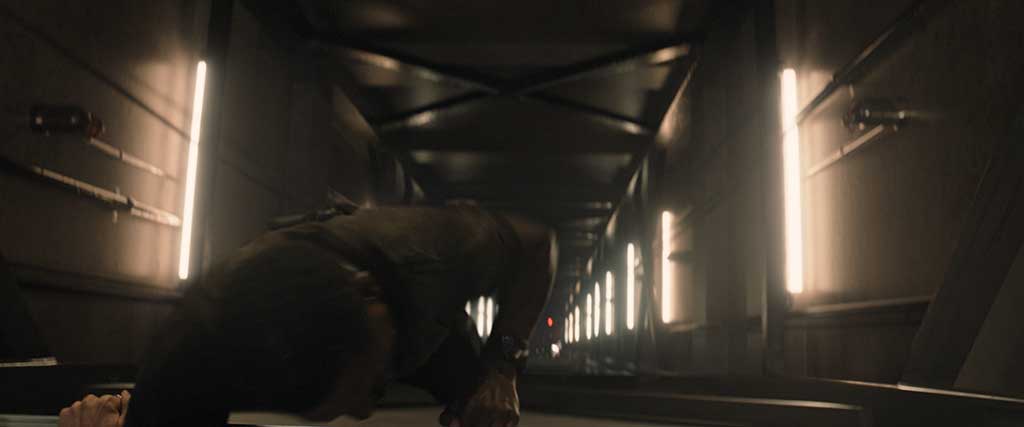
A rudimentary simulation of the mountain collapse was shown to the client early on to get the timing right. “When the edit was nearly locked, we looked at the total amount of time we had from pre-explosion to the final shot where it’s dust and debris rolling over the hills and the actual mountain had imploded,” Underwood explains. “It was around 90 seconds, which is fast for an entire mountain to implode. We spent a lot of time figuring out how to speed up the mountain implosion while still making it look massive and realistic, because if you go too fast, the mountain feels like a miniature. We sped up the process two or three times more than it normally would and packed in details – smoke, debris and one of the last notes was for a big buckling. If you go back and look at the shot, the initial mountain starts to crumble in on itself, and a big radial explosion of tons of dust and debris launches outward. That’s the final blow and the entire mountain collapses.”
“One of the big story points is that they’re coming out of the dome and everybody is walking in the sunlight. You have this bright, hard sun, so we’re battling a lot of flares that were inherent to the footage. We had to clean up the footage and put the flare back in. We used the atmosphere, flares, and lighting to our advantage and would bash-comp previs in there.”
—John Brennick, Compositing Supervisor, Paradise Season 2
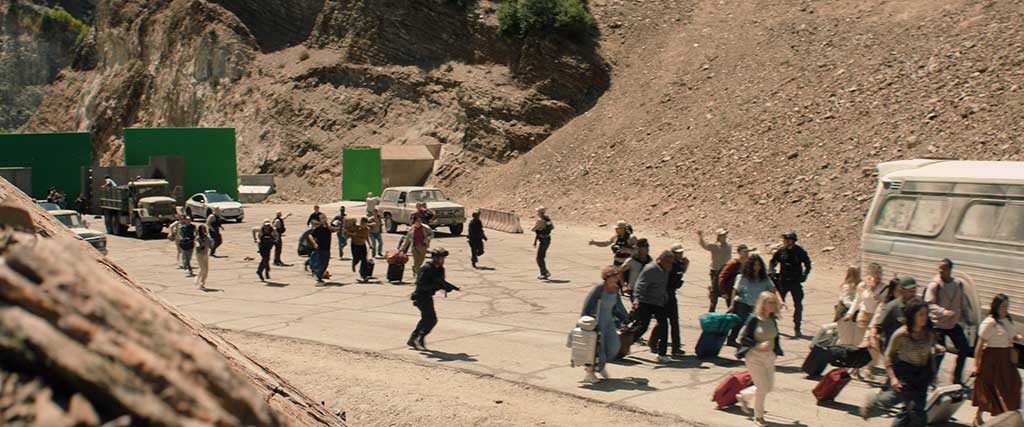
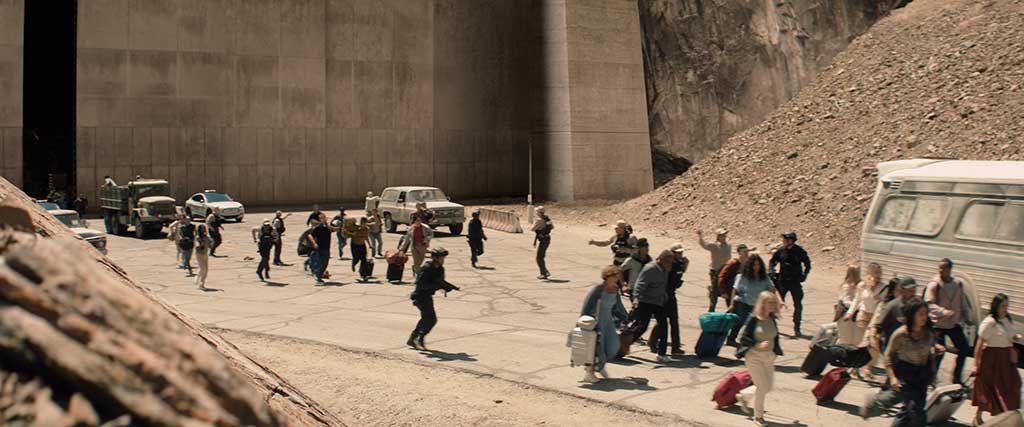
Visual effects moments aren’t confined to Episode 208, as environmental work began early in the season. In Episode 201, a huge oncoming tornado is seen from the Graceland balcony. “It’s a huge visual effect that goes by so quickly,” Weckworth observes. “Even scripted, it’s supposed to be, ‘What is that back there?’ It wasn’t supposed to be until the lightning flashed that you noticed something is swirling back there. Some of these things we are asked to do are a heavy lift for just a few frames onscreen.” So much is going on with the tornado. “It had to feel like everything is inside this volume,” Brennick states. “I worked to have a lot of the atmosphere illuminate from the lightning, not just internally, but also the clouds around it were illuminating the sky.”
The tornado was built in a standard daylight environment to iterate on the details. “Once we were happy with the size and look of the tornado, we began to light it, brought it down, and realized which details were getting completely lost or not,” Underwood says. “Once we sent it to John Brennick’s team on the comp side, it was overlit for nighttime. We allowed them to dictate the lighting and darkness and gave them a bunch of passes for lightning where they could completely control the timing of the lighting on and off. The final lighting was essentially done by compositing.”
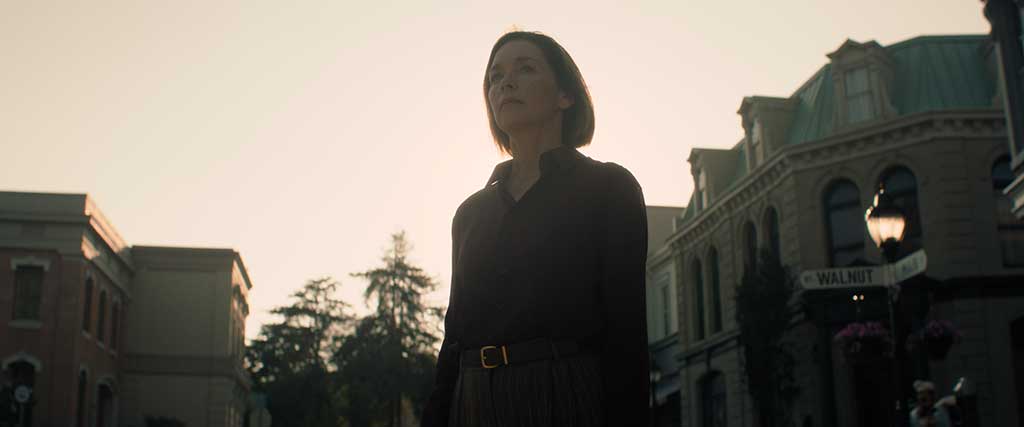
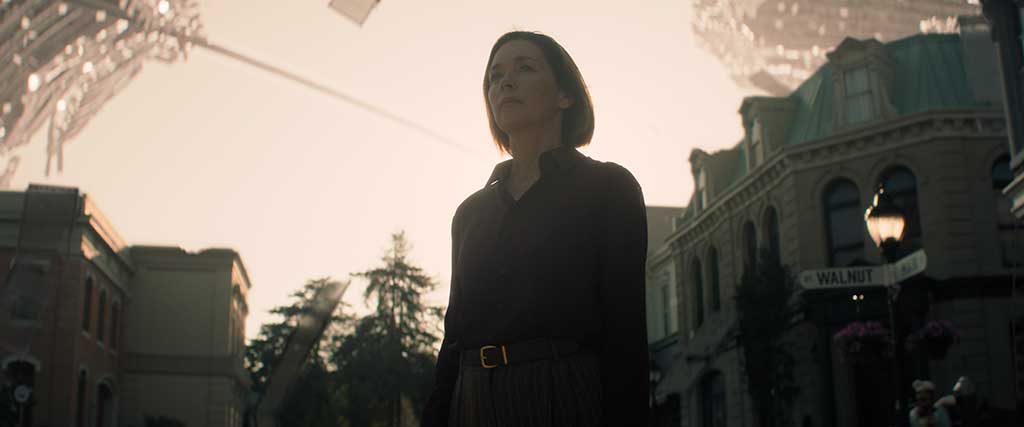
A telescope shot shows the encroaching water and the fast-approaching destruction. “That whole thing in the script was to give the audience a single point-of-view reference for what was happening to the planet,” Weckworth notes. “If you’re bouncing around different characters and everyone is experiencing a different thing, you don’t know how this thing is progressing. We had to show the magnitude of things increasing until it’s basically like a nuclear winter, and it’s raining ash and fire. There were a few cool things. One was the explosion of a chemical plant that almost looks like a nuclear explosion and is off in the distance. A huge shockwave comes toward the balcony and affects the people standing there. The other one was the water surge that came up a road. It happens quickly. There was a lot of handoffs between comp, matte painting and CG for all those effects.”
Complicating matters, the space had to be compressed. “Everything gets flattened out and foreshortened, but it still has to feel big,” Brennick states. “There was a lot of time spent with atmosphere. Scale is our biggest thing in all of this, whether it was inside or outside the dome. We had slow rolling smoke feeling like it was off in the distance and making it feel more like ocean spray and not just wispy smoke was a key component in putting the water coming down the street. At that point, it’s all CG.”
The telescope shot is a great example of all departments working together. “One car is doing a U-turn to get the hell out of there; people are running; effects with the water; assets with the buildings of the town. Meliza and DMP added trees and packed in detail and weathering to all the buildings we had built in CG, but then beefed those up with great texture elements as well,” Underwood states. “The compression of space was definitely a challenge because, looking through a telescope, a car moving at 30 miles per hour looks like it’s crawling because it’s only moving a half an inch onscreen. We had to decide how many blocks of streets to cover and how far down we wanted that water to go. And how much splashing and chaos we wanted. We ended up taming it down a lot from where we started. The difficult part was to get the reflections of the town built in Maya to reflect in the water built in Houdini.”
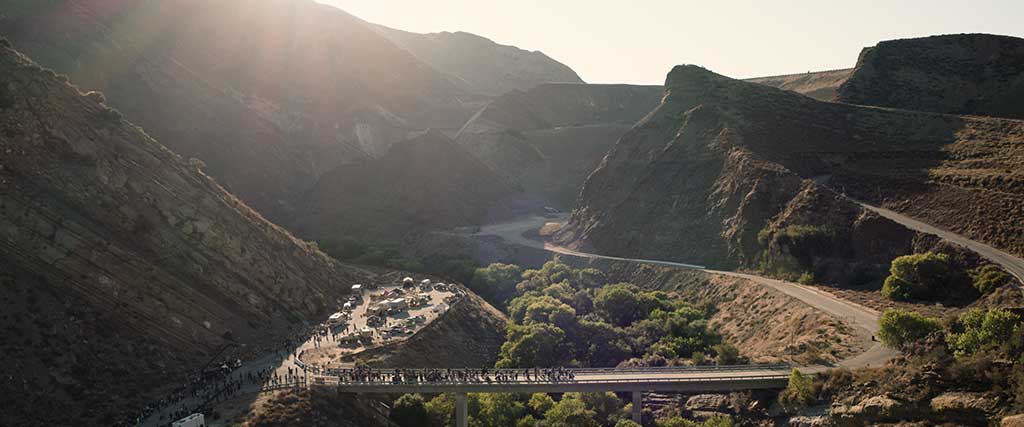
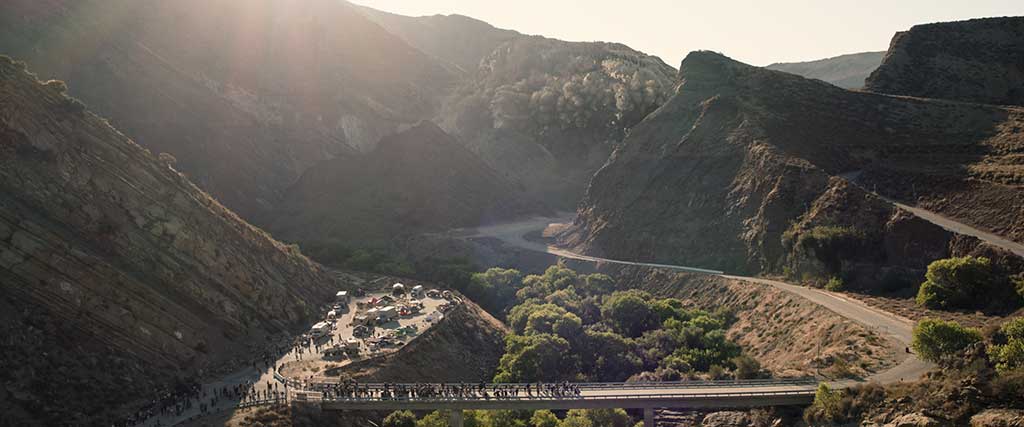
“We spent a lot of time figuring out how to speed up the mountain implosion while still making it look massive and realistic, because if you go too fast, the mountain feels like a miniature. We sped up the process two or three times more than it normally would and packed in details – smoke, debris and one of the last notes was for a big buckling. If you go back and look at the shot, the initial mountain starts to crumble in on itself, and a big radial explosion of tons of dust and debris launches outward. That’s the final blow and the entire mountain collapses.”
—Evan Underwood, CG Supervisor, Paradise Season 2
The balcony of Graceland was a bluescreen set. “I had to create everything from the balcony, in-between, place the CG museum, do all of the clouds and sky,” Fermin recalls. “Then they were like, ‘We want to see the water as well.’ I had to research Memphis, Graceland, what kind of landscape is between the mansion and museum, and the airport with a plane. Once we had that established, they placed moving trees where needed. In the part where she moves the telescope from the museum to downtown, where you see the water creeping in, I had to decide what we were going to see between the museum and the downtown area. All that landscape was a matte painting as well as the treeline and sky.”
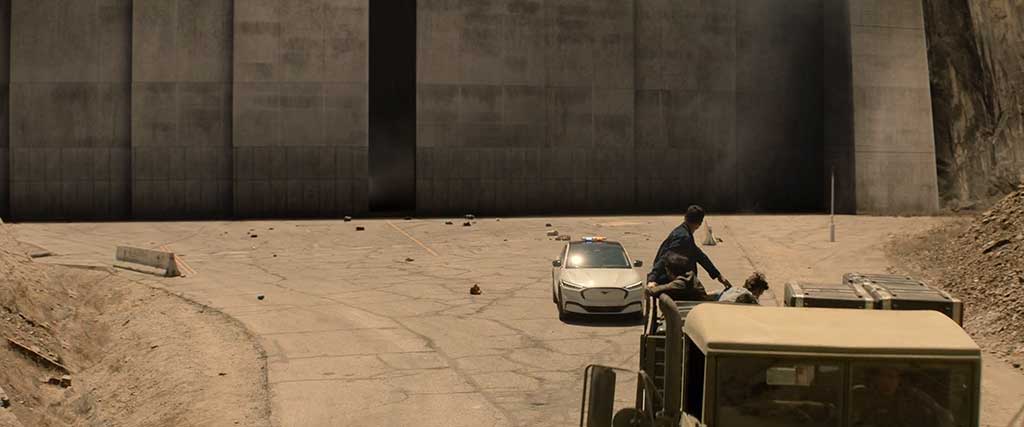
For Season 2, the biggest challenge was the sheer variety of visual effects. “It’s not like we’re building things that we are coming back to every episode that we get to refine,” Weckworth reiterates. “We have this one moment in time to make whatever the effect is work for the story and be something that we’re proud of. It’s weird because we’ll get to the end, and I’ll start watching stuff from earlier in the season and go, ‘Oh yeah, I totally forgot we did all of that.’ But at the time we were doing it, it was the most important thing we had on our plate; however, we don’t have time to sit on our laurels and go, ‘Wasn’t that great?’ Because we were literally onto the next thing, and that becomes our focus. We have all that stuff in our rearview mirror until the season comes out. When it airs, we’re watching every episode because it’s a good show. We’re proud of the work that we’ve done on this. It’s fun to go back and watch it in context.”